What Does VPN Do? Examples and Practical Answers
A VPN, or virtual private network, reroutes internet traffic through a VPN server, encrypts the connection between your device and that server, and usually repl...

In this story
A VPN, or virtual private network, reroutes internet traffic through a VPN server, encrypts the connection between your device and that server, and usually replaces the public IP address websites see with the VPN server's IP. This can improve privacy in specific situations, but it does not make you completely anonymous or provide complete online security.
The useful question is not whether a VPN "protects everything." It is what traffic passes through the VPN, what changes for the parties observing that traffic, and whether those changes solve the problem you actually have.
How Does a VPN Work?
When you connect normally, your device sends internet traffic through your internet service provider (ISP) toward websites and online services. A VPN adds an intermediary:
Without a VPN:
Device → ISP or network → website
With a VPN:
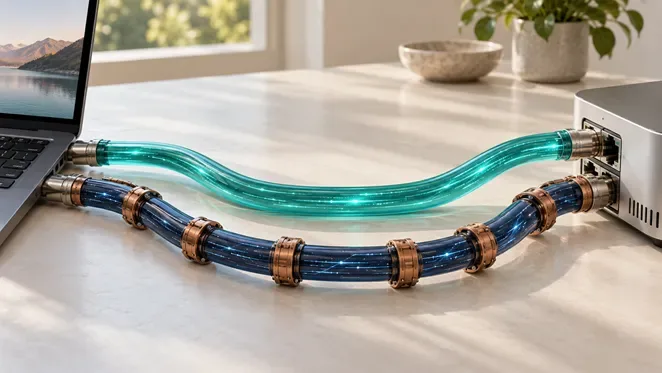
Device → encrypted VPN tunnel → VPN server → website
The VPN server receives traffic from your device and sends it onward. This changes the route and usually means the destination sees the VPN server's public IP instead of the IP associated with your normal connection.
Not every connection necessarily uses the tunnel. With split tunneling, selected apps, websites, or traffic can bypass the VPN while other traffic uses it. Organizations may also configure a VPN so only traffic for internal resources enters the corporate tunnel. VPN protection therefore applies only to traffic that is actually routed through the protected connection.
Related Posts:
Does a VPN Hide Your IP Address?
Usually, yes—from websites and services receiving traffic through the VPN. They generally see the VPN server's public IP rather than the public IP associated with your home, mobile, or other connection.
That can reduce IP-based tracking and alter your apparent IP-based location. But hiding your normal IP is not the same as hiding your identity. A signed-in account, cookies, browser fingerprinting, or information you provide can still identify you.
How Does VPN Encryption Work?
A VPN creates an encrypted tunnel between your device and the VPN server. This limits what an ISP or local network operator can directly inspect inside traffic carried through that tunnel.
Once traffic reaches the VPN server, it continues toward its destination. If the destination uses HTTPS, that separate encryption can continue protecting the content between your app or browser and the service. The VPN provider may still see connection metadata or destination information depending on the service design and traffic, but properly encrypted HTTPS content is not automatically readable to the VPN provider.
VPN vs. HTTPS: What's the Difference?
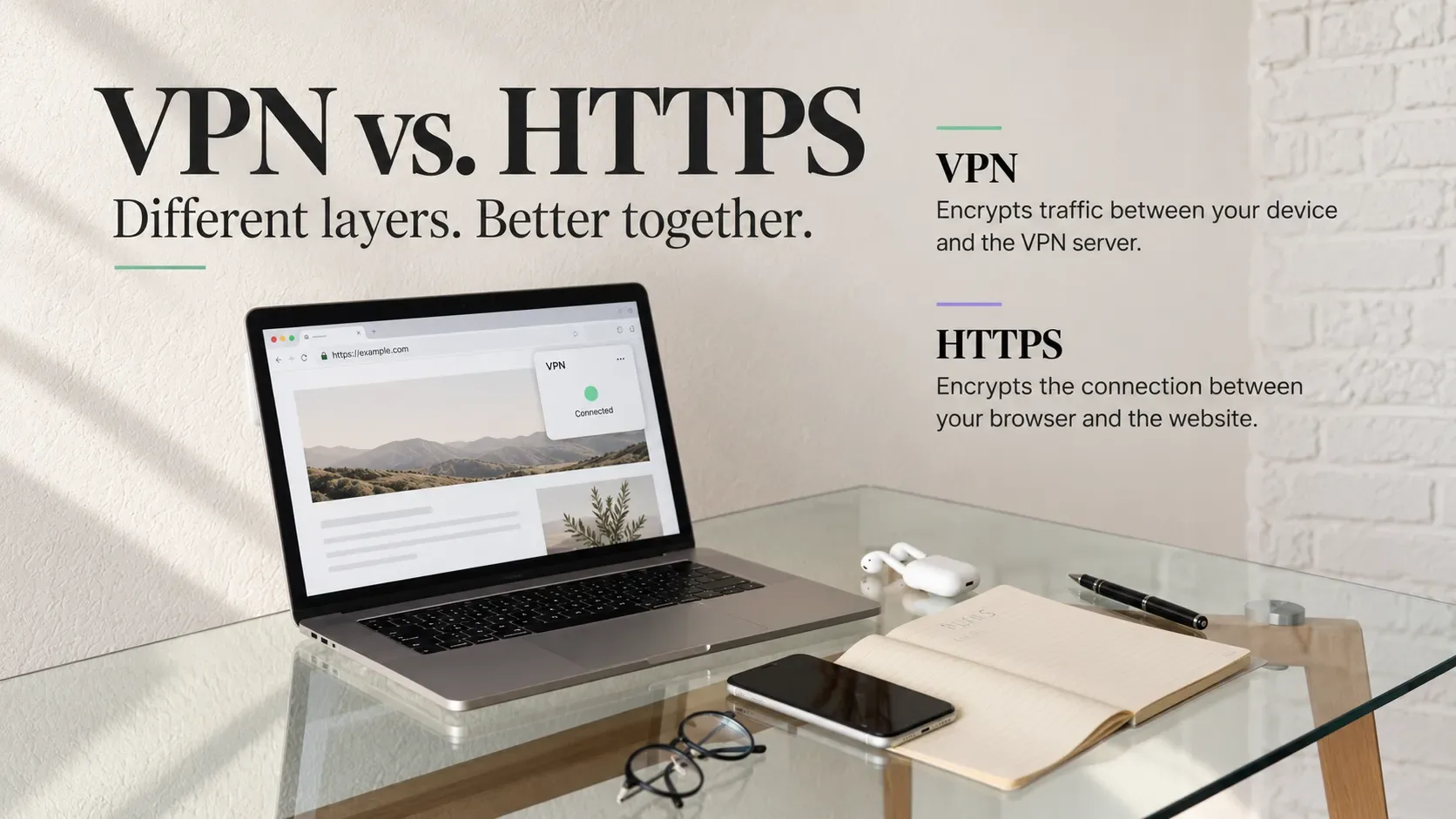
HTTPS usually encrypts communication between your browser or app and the destination service. A VPN protects the connection between your device and the VPN server. They protect different parts of the path and are not complete substitutes for each other. Neither one, by itself, prevents phishing, malware, or stolen passwords.
What Does a VPN Hide?
A VPN does not make your online activity invisible. Different observers can still see different information.
Observer | What the VPN changes | What may still be visible or identify you |
Internet provider | Traffic routed through the VPN is carried inside the encrypted tunnel | VPN use, connection timing, traffic volume, and other connection-level information |
Public Wi-Fi operator | Has less direct visibility into tunneled traffic | Your device's presence on the network and the VPN connection itself |
Websites | Usually see the VPN server's IP instead of your normal public IP | Account logins, cookies, information you provide, and other tracking signals |
Advertisers and trackers | Lose your normal IP as one possible signal | Cookies, tracking pixels, browser fingerprinting, and account identifiers |
VPN provider | Operates the server through which tunneled traffic passes | Some connection metadata or destination information, depending on the service design and encryption |
Employer or organization | A personal VPN can reduce local-network visibility into tunneled traffic | Managed devices may still be monitored through device-management software, corporate accounts, proxies, or other controls |
The important distinction is IP masking versus anonymity. A VPN can hide one network identifier from a destination without preventing the destination—or another party—from identifying you in other ways. EFF specifically notes that VPN users can still be tracked through methods such as cookies, GPS, tracking pixels, and fingerprinting.
Can Your ISP See What You Do With a VPN?
When traffic is successfully routed through a properly configured VPN, your ISP can generally see that you are communicating with a VPN server but has less direct visibility into the destinations and contents carried inside that encrypted tunnel.
The ISP can still observe connection-level information, such as when the VPN connection occurs and how much data is transferred. Split tunneling, traffic excluded from the VPN, connection failures, or routing problems can also change what remains visible.
Does a VPN Hide Your Browsing History?
It depends on what "browsing history" means.
A VPN can reduce what an ISP or local network can observe about activity routed through the tunnel. It does not erase history stored in your browser, searches saved to a signed-in account, activity recorded by websites, or tracking data stored on your device.
If you sign in to an account, changing your IP does not stop that service from associating activity with you.
Does a VPN Change Your Location?
A VPN can change your apparent IP-based location. If you connect through a server elsewhere, websites relying on IP geolocation may associate your connection with the VPN server's city or country.
That does not change your physical location or GPS coordinates. Phones can determine location using GPS, Wi-Fi, cellular, and Bluetooth signals, so apps with location permission may still know your real or approximate location.
What Does a VPN Protect You From?
A VPN is most useful against specific network-level privacy problems. It can reduce direct observation of tunneled traffic by a local network operator, hide your normal public IP from destination websites, protect the device-to-VPN connection, change your apparent IP-based location, and provide authorized remote access to private organizational networks.
Those are meaningful benefits, but they are narrower than some VPN advertising suggests. A VPN is primarily a routing and connection-privacy tool, not a universal security product.
Does a VPN Protect You on Public Wi-Fi?
A trusted VPN can be useful on a network you do not trust because it encrypts the connection between your device and the VPN server and reduces what the local network can directly observe about tunneled traffic.
That does not mean every public Wi-Fi network is automatically unsafe or that a VPN is always required. HTTPS already protects the contents of most modern web connections, though some metadata can remain visible. EFF specifically notes that widespread HTTPS has reduced the need for VPNs as a universal public-Wi-Fi requirement.
Example: You connect to Wi-Fi in a café. HTTPS protects the content exchanged with an HTTPS website. The café network can still see that your device is connected and observe some network metadata. With a VPN, your tunneled traffic first goes through an encrypted connection to the VPN server, reducing local visibility. A VPN still cannot stop you from entering a password into a phishing site or downloading a malicious file.
What Does a VPN Not Protect You From?
VPN protection has limits. Some VPN products add features such as malicious-domain, ad, or tracker blocking, but those are extra product features rather than an inherent function of VPN technology.
Malware, Phishing, and Stolen Passwords
A VPN does not make a malicious file safe, remove malware already on a device, or make a phishing page legitimate. If an attacker steals a reused password, a VPN does not prevent that credential from being tried elsewhere.
Software updates, phishing awareness, unique passwords, password managers, and multifactor authentication address those risks more directly. CISA recommends MFA, strong passwords, phishing awareness, and timely software updates as core online-safety measures.
Cookies, GPS, and Account Tracking
A website may still recognize you through a signed-in account, cookies, tracking pixels, browser fingerprinting, or information you provide. A VPN also does not disable GPS or other device-location systems. If an app has location permission, it may still determine where you are even when your IP appears to be somewhere else.
Can You Be Tracked With a VPN?
Yes. A VPN can reduce IP-based tracking and some network-level visibility, but it does not provide complete anonymity. Accounts, cookies, fingerprinting, GPS, payment information, and other identifiers can still connect activity to you.
The VPN provider also becomes part of the trust chain and may have access to some metadata or destination information depending on how the service and traffic are configured. Properly encrypted HTTPS content is not automatically readable merely because traffic passes through a VPN provider.
When Should You Use a VPN?
A VPN makes the most sense when you need to change or protect something about the network connection itself.
For public Wi-Fi, the main benefit is the protected path to the VPN server; the practical limits are covered above. Other common uses include streaming, travel, network restrictions, gaming, and remote work.
Streaming, IP-Based Location, and Network Restrictions
Because a VPN changes the IP address seen by a service, it can change the apparent region associated with your connection. That can help with some location-dependent services, but it does not guarantee access to every streaming catalog or platform.
VPNs can also sometimes help when a school, workplace, ISP, or regional network filters particular services. Some networks detect or block VPN traffic, so access is never guaranteed. Effectiveness depends on the network, technology, and restriction in place, and laws or regulations can vary by jurisdiction.
Gaming and Remote Work
For gaming, a VPN changes your network route and public-facing IP. It does not guarantee lower ping and may increase latency if traffic travels farther or crosses a congested server.
Remote-work VPNs often serve a different purpose. A consumer VPN usually routes public internet traffic through the provider's server, while an enterprise VPN may give authorized employees encrypted access to internal company systems and private resources.
Does a VPN Slow Down Your Internet?
A VPN can reduce throughput or increase latency because traffic passes through an additional server and the VPN processes the protected connection.
Performance depends on server distance, congestion, the provider's infrastructure, VPN protocol and implementation, your original connection, and the route between you, the VPN server, and the destination.
Three terms are useful:
Latency: how long data takes to travel between points.
Throughput: how much data can be transferred over time.
Jitter: how much latency varies from one moment to another.
Activity | What usually matters most |
Web browsing | Latency and responsiveness |
Video streaming | Sustained throughput |
Video calls | Latency, jitter, and stability |
Competitive gaming | Low latency and low jitter |
Large downloads | Throughput and server capacity |
In some cases, a VPN can improve performance if it produces a better network route or avoids certain forms of traffic management. That is situational, not a guaranteed VPN benefit. There is no reliable universal percentage for how much a VPN will slow a connection.
What Happens If Your VPN Disconnects?
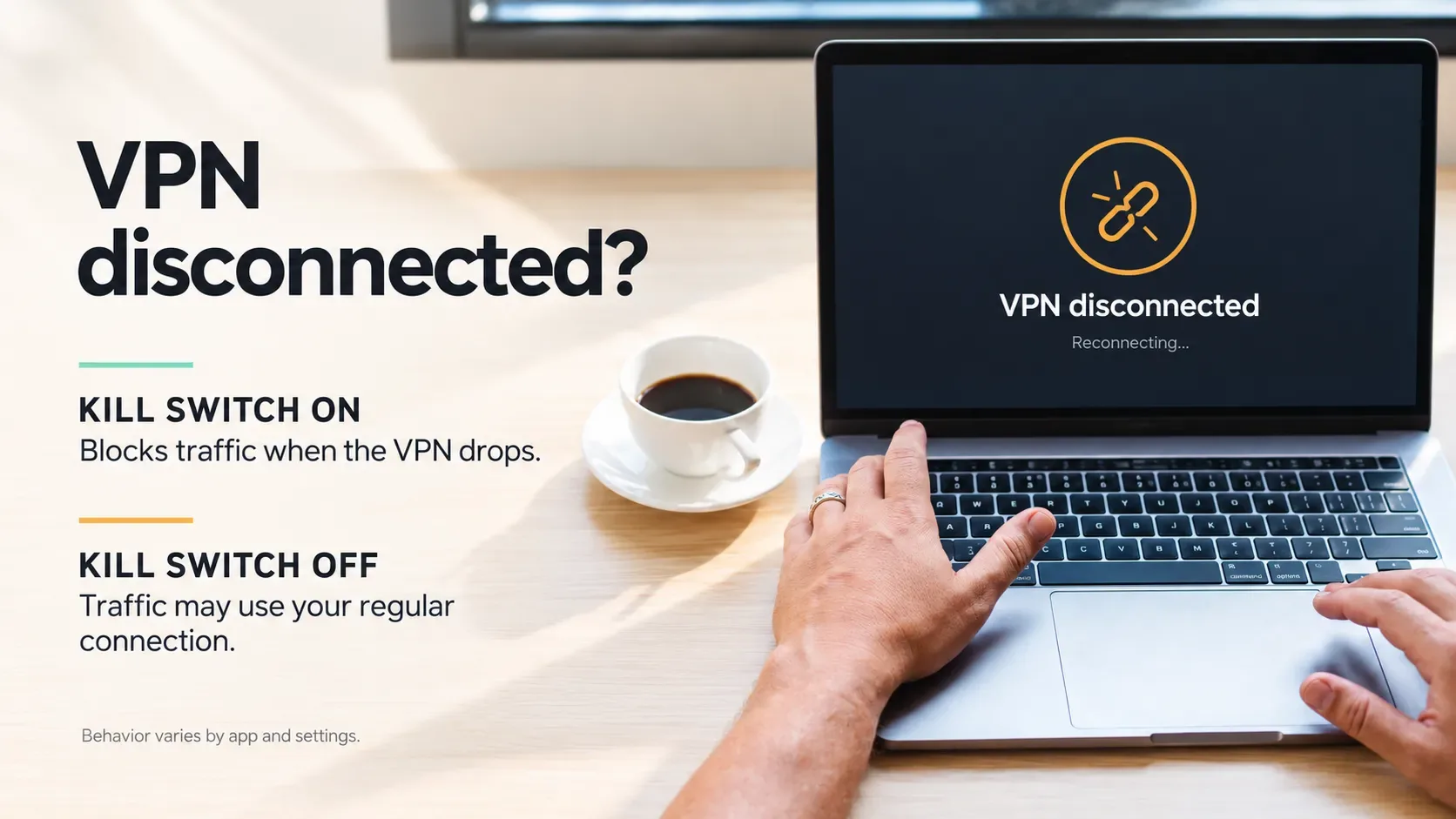
If a VPN drops unexpectedly, some devices or apps may return to their normal internet route. Traffic that was supposed to use the tunnel may then leave through the regular connection, potentially exposing your normal public IP or other network information.
What happens depends on the VPN app, operating system, routing configuration, split-tunneling rules, and any protective features enabled.
VPN Kill Switch Explained
A kill switch is designed to block internet traffic when the VPN unexpectedly disconnects, reducing the risk that traffic silently falls back to an unprotected route.
Implementations differ. A kill switch may block all traffic or only particular connections, and behavior can depend on the operating system and settings. It reduces fallback risk but does not guarantee that every possible leak or configuration problem is prevented.
DNS and IP Leaks
A DNS leak occurs when DNS requests use a resolver or route outside the path you expected the VPN to use, potentially revealing information about domains being requested. An IP leak is different: it occurs when your normal or another unintended IP address becomes visible to a party expected to see only the VPN address.
For a basic check, note your public IP before connecting, connect the VPN, then check the public IP again. You can also run a DNS leak test and review which DNS resolvers appear. Unexpected exposure of your normal IP or resolver configuration may need investigation. A visible resolver is not automatically a leak, and passing a basic test does not rule out every possible leak.
Do You Need a VPN, and How Do You Choose One?
A VPN is useful only when its capabilities match your goal.
Your goal | Is a VPN the right tool? | Better or additional protection |
Hide your normal public IP from websites | Yes | VPN |
Change your apparent IP-based region | Yes | VPN |
Reduce local-network visibility into tunneled traffic | Yes | VPN + HTTPS |
Connect to a private workplace network | Yes, when required | Employer VPN + account security |
Stop phishing | Not primarily | Phishing awareness and browser/email protections |
Protect an account after a password leak | No | MFA/passkeys + unique passwords |
Fix reused passwords | No | Password manager |
Remove malware | No | Updates and appropriate endpoint security |
Hide GPS location from an app | No | Device location permissions |
Become completely anonymous | No | Requires a broader privacy strategy |
If your problem is network-level—such as IP masking, routing, local-network privacy, or private-network access—a VPN may be the right tool. If the problem is account security, malware, or device permissions, another control is usually more relevant.
Privacy Policies, Audits, and Ownership
Before choosing a commercial VPN, look beyond speed claims and server counts. Check:
what its privacy policy says it collects;
whether connection or usage data is retained and for how long;
whether ownership is reasonably transparent;
whether important privacy or security claims have independent evidence;
whether audits are recent and relevant to the claims being made.
Independent audits can be a useful trust signal, but they are not a permanent guarantee. Software, infrastructure, policies, and ownership can change after an audit. EFF likewise treats third-party audits as useful evidence rather than permanent proof of trustworthy behavior.
Part of the trust previously placed in your ISP shifts to the VPN provider, so the provider's data practices matter.
Free vs. Paid VPNs
Price is not a shortcut for trust. Free services may use data limits, fewer servers, advertising, donations, or freemium upgrades; paid services usually rely more directly on subscriptions. Neither model automatically proves good privacy practices.
Ask:
Who operates the service?
What data does it collect and retain?
How is the company funded?
Are important privacy and security claims backed by credible independent evidence?
Choose based on evidence and fit, not simply whether the VPN is free or paid.
Frequently Asked Questions
Should I Leave My VPN On All the Time?
You can keep a trusted VPN connected when you consistently want its IP-masking or routing benefits. It is not mandatory for every user or task. Keeping it active can affect performance, battery use, or access to services that restrict VPN traffic, so the best choice depends on why you use it.
What Does a VPN Do on an iPhone or Android?
The core function is the same as on a computer: traffic covered by the VPN configuration is routed through the VPN connection. It does not automatically disable GPS or other location systems, and split tunneling, app behavior, or operating-system settings can mean some connections follow different routes.
Can My Employer See My Activity if I Use a VPN?
On a personal device using your own VPN, an employer's local network may have less visibility into tunneled traffic. On an organization-managed device, monitoring software, device-management tools, corporate VPNs, proxies, browser policies, or work accounts may still provide visibility. A personal VPN should not be assumed to override employer controls.
Is Using a VPN Legal?
VPN rules vary by country and can change. Some jurisdictions permit VPN use broadly, while others restrict particular services or uses. A VPN also does not make otherwise illegal activity lawful. If legality matters for your situation, check current rules for the relevant jurisdiction rather than relying on a universal answer.
Is a VPN Worth Using?
A VPN is worth using when its real capabilities match your goal: protecting a network path, masking your normal public IP, changing network routing, or accessing a private network. It is not automatic anonymity or complete cybersecurity. Identify the problem first, then choose the privacy or security tool that actually addresses it.
How This Guide Was Researched
This guide uses authoritative educational and technical documentation rather than original product testing. Key references include EFF's “Choosing the VPN That's Right for You” (last reviewed July 28, 2026) for VPN privacy, limitations, public Wi-Fi, censorship, and provider trust; CISA's “Four Easy Ways to Stay Safe Online” for phishing, passwords, MFA, and updates; Apple's “About privacy and Location Services in iOS, iPadOS, and watchOS” (published May 20, 2026) for device-location behavior; Microsoft Learn's “Overview: VPN split tunneling for Microsoft 365” for split-tunneling concepts; and Cloudflare's “What is a VPN?” for general VPN routing and tunnel mechanics.
Sources:
Keep reading

VPN for iPhone How to Choose and Set It Up
For a free VPN for iPhone, Proton VPN Free is a sensible starting point for everyday browsing because it has no data cap. Consider NordVPN if you want a paid se...

WireGuard vs OpenVPN Which Protocol Should You Use
Start with WireGuard for everyday browsing, streaming, and mobile use. Choose OpenVPN when you need TCP fallback, compatibility with an existing setup, or more...


Best VPN for Mac: Free and Paid Options
Compare four free and paid Mac VPN options, check macOS compatibility and renewal costs, and follow practical setup and connection checks.