Example Example made on our own Mac with an open model (Z-Image). Your result in the AI above will look different. How we make examples
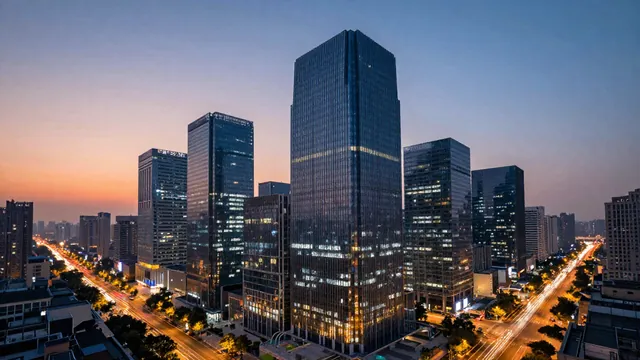
Timelapse: a city going from day to night
A smooth timelapse of a skyline as the sun sets and the city lights switch on. You only need the prompt.
You need
Nothing but the prompt
Written for
Veo, Kling, Runway
Result
Video
Prompt
Shot: a wide timelapse of a city type skyline seen from a high rooftop. Motion: the sky moves from late-afternoon blue through a sunset color sunset to deep night, clouds stream quickly across, shadows sweep over the buildings, and window and street lights switch on one by one while traffic turns into light trails. Camera: locked off on a tripod, with a very slow push in. Sound: a soft city hum that grows quieter as night falls, no music, no dialogue.
Wide timelapse of a city type skyline from a high rooftop. Motion: sky changes from afternoon blue through a sunset color sunset to night, clouds stream fast, city lights switch on, traffic becomes light trails. Static camera with a very slow push in. Duration: 10 seconds.
Timelapse of a city type skyline from a rooftop, day turning to night through a sunset color sunset, clouds streaming, city lights switching on, traffic light trails. Locked-off camera, very slow push in. 10 seconds.
Fill in, or keep the brackets and change them later


 Veo, Kling, Runway