Example Example page built by Claude for this page, not by the AI named above. How we make examples
Build a SaaS landing page that explains and converts
Describe your app in a few lines and get a complete, responsive landing page with hero, features, pricing and FAQ.
You need
Nothing but the prompt
Written for
Claude, ChatGPT, Lovable
Result
Website
Prompt
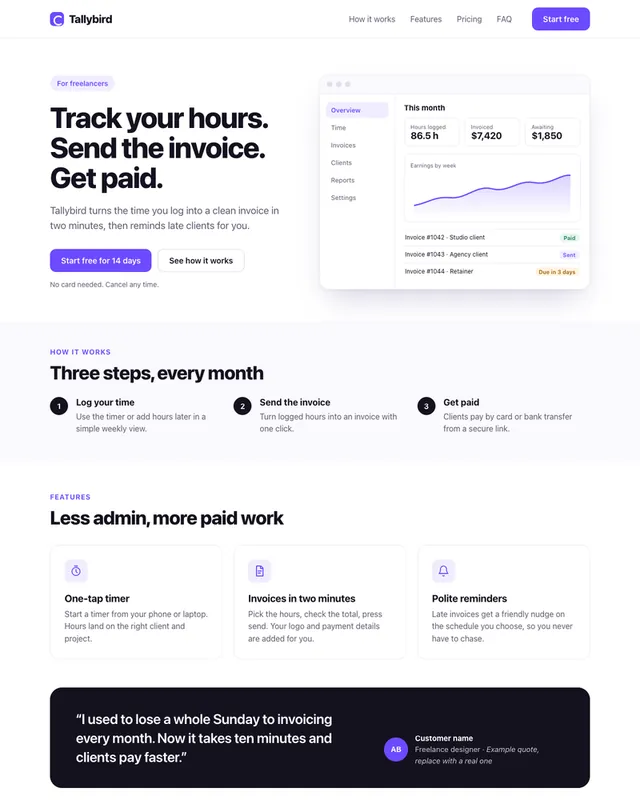
You are a senior web designer and front-end developer. Build a complete landing page for my SaaS app as one self-contained HTML file with inline CSS and a little vanilla JavaScript.
About the app:
- Name: app name
- What it does, in one line: one-line description
- Who it is for: target customer
- Main benefits: three main benefits
Sections, in this order: a sticky header with the name as text and one call-to-action button; a hero with headline, subheadline and a product screenshot placeholder; "How it works" in 3 steps; a features grid; a testimonial block with placeholder quotes clearly marked as examples; pricing with number of plans plans; an FAQ with 5 questions; a footer.
Style: visual style, one accent color, generous white space, a system font stack, mobile-first and responsive down to 360 px wide. Use semantic HTML, alt text and WCAG AA color contrast.
Rules: do not invent customer names, logos or statistics; use clear placeholders I can replace. Write the copy in plain, specific language, not hype.
Build a landing page for my SaaS app app name: one-line description, made for target customer. Main benefits: three main benefits.
Sections: sticky header with one call-to-action, hero with headline and a product screenshot placeholder, "How it works" in 3 steps, features grid, testimonials clearly marked as examples, pricing with number of plans plans, a 5-question FAQ and a footer.
Style: visual style, one accent color, lots of white space, fully responsive and accessible. Use placeholders instead of invented customer names, logos or numbers.
Fill in, or keep the brackets and change them later


 Claude, ChatGPT, Lovable