Example Example page built by Claude for this page, not by the AI named above. How we make examples
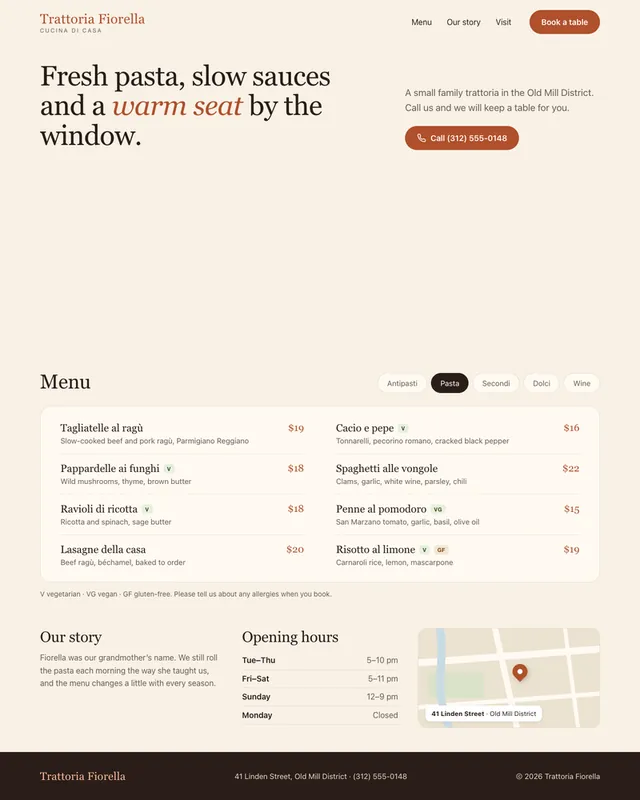
Restaurant website with your full menu
Paste your menu and hours and get a mobile-first restaurant site with a filterable menu, booking button and map spot.
You need
Your own text
Written for
Claude, ChatGPT, Lovable
Result
Website
Prompt
You are a web designer for independent restaurants. Build a one-page restaurant website as a single HTML file with inline CSS and a little vanilla JavaScript.
Details:
- Restaurant name: restaurant name
- Cuisine and feel: cuisine and feel
- Address and neighborhood: address
- Opening hours: opening hours
- How guests book: booking method
Menu (use exactly this, do not invent dishes or prices):
paste your menu
Sections: hero with one food photo placeholder and a "Book a table" button, the menu split into categories with tabs or filter buttons, dietary tags (V, VG, GF) where my menu gives them, a short story section, hours and address with a map placeholder, and a footer. On phones, show a sticky bar with "Call" and "Directions" buttons.
Add Restaurant schema (JSON-LD) with my real details. Fast, accessible, readable in sunlight: dark text on a light background, at least 16 px body text.
Build a one-page website for restaurant name, a cuisine and feel at address, open opening hours. Guests book by booking method.
Show this menu exactly, with category tabs and dietary tags where given, no invented dishes or prices:
paste your menu
Add a hero with a food photo placeholder and a "Book a table" button, a short story section, hours and a map placeholder, and a sticky "Call" and "Directions" bar on phones. Warm, readable and fast.
Fill in, or keep the brackets and change them later


 Claude, ChatGPT, Lovable