Example Example page built by Claude for this page, not by the AI named above. How we make examples
Build your own link-in-bio page in one file
Get a light, fast personal link page with your photo, bio and buttons that you can host anywhere without a monthly fee.
You need
Nothing but the prompt
Written for
Claude, ChatGPT, Lovable
Result
Website
Prompt
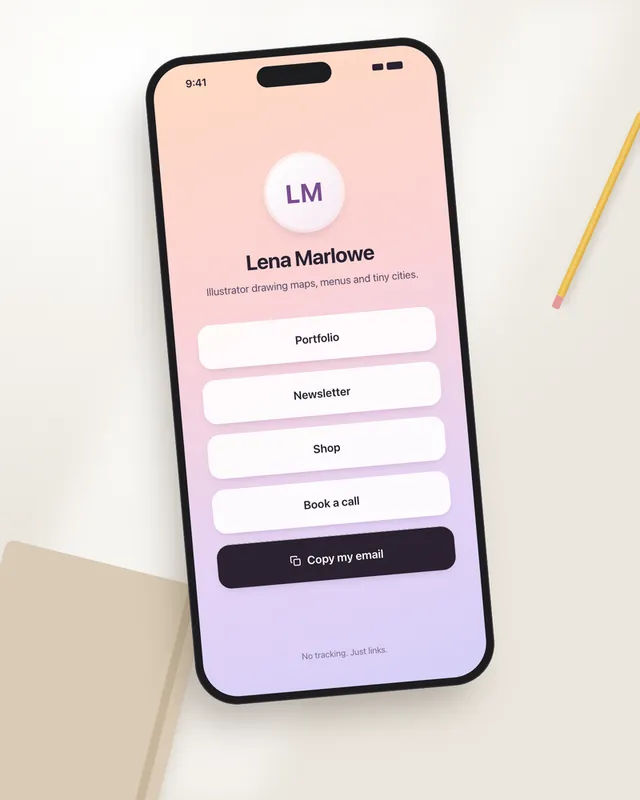
Build a personal link-in-bio page as one HTML file with inline CSS, under 30 KB, with no tracking and no external scripts.
Me:
- Name: your name
- One-line bio: one-line bio
- Links, in order: your links
Design: a round photo at the top (use a circle with my initials as a placeholder), my name and bio, then one wide button per link with at least 48 px height. Use text labels for each link, not platform logos. Theme: theme. Follow the visitor's light or dark mode setting automatically.
Extras: a "Copy my email" button that shows "Copied" for 2 seconds, sensible meta tags for sharing (title, description, preview image placeholder), and good contrast and focus states. Center everything and make it look great on a phone.
Build a personal link-in-bio page for your name with the bio "one-line bio" and these links in order: your links. Round photo at the top (initials placeholder), wide 48 px buttons with text labels, a "Copy my email" button, theme style, automatic light and dark mode, very light and fast, no tracking.
Fill in, or keep the brackets and change them later


 Claude, ChatGPT, Lovable