Example Example page built by Claude for this page, not by the AI named above. How we make examples
Build a reusable email newsletter template
Get a responsive HTML email template with clear editable sections, a sturdy button and a plain-text version.
You need
Nothing but the prompt
Written for
Claude, ChatGPT
Result
Website
Prompt
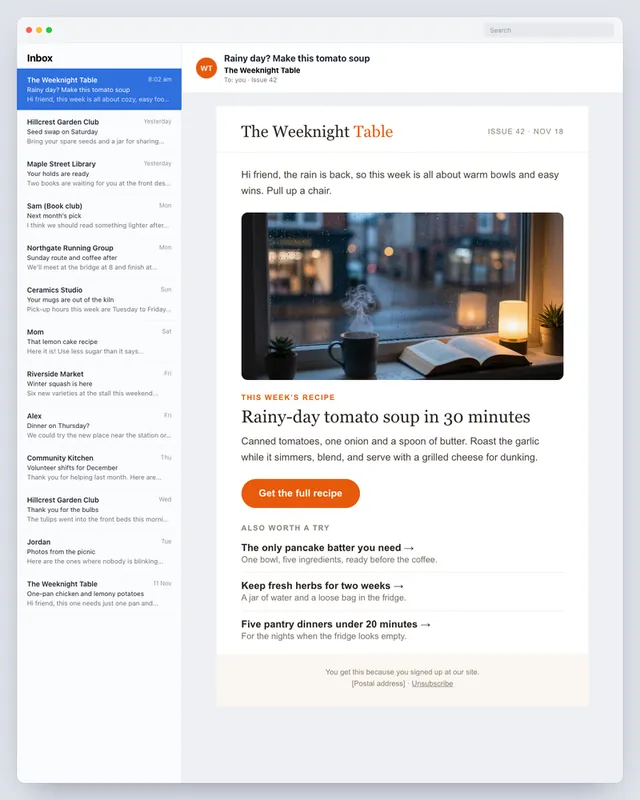
You are an email developer. Build a reusable newsletter template for newsletter name, a newsletter about newsletter topic, in a tone tone.
Technical rules for email:
- Table-based layout, 600 px wide, all CSS inline, web-safe fonts with fallbacks.
- It must hold up in older desktop email apps and on phones, and stay readable in dark mode.
- A button built from a table cell, not an image, so it shows even with images off.
- Alt text on every image, nothing important inside a background image.
Sections: hidden preheader text, a header with the newsletter name as text, a short intro, one main story with an image, three short link items with one-line summaries, one call-to-action button, and a footer with placeholders for the postal address and the unsubscribe link.
Mark every editable area with an HTML comment. Fill it with sample content about my topic, then give me a plain-text version of the same email.
Fill in, or keep the brackets and change them later


 Claude, ChatGPT, Lovable