Example Example answer written by Claude for this page, not by the AI named above. How we make examples
Summarize a long email thread into decisions and to-dos
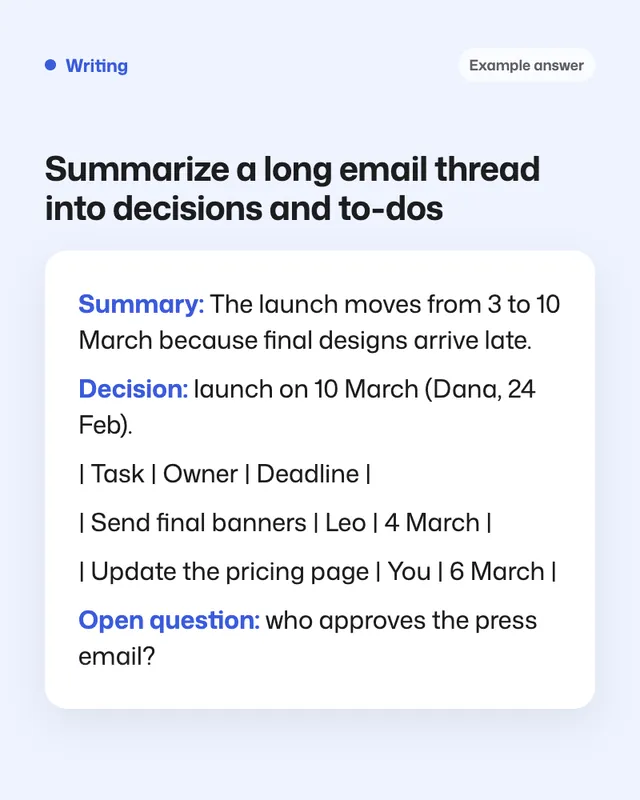
Paste a messy thread and get a short summary, the decisions made, a to-do table with owners and a draft reply.
- You need
- Your own text
- Written for
- ChatGPT, Claude, Gemini
- Result
- Text
Prompt
You are an experienced executive assistant. Read the email thread below and give me:
1. Summary: what this thread is about and where it stands, in 3 sentences.
2. Decisions made: each with who decided and when.
3. Action items as a table: task, owner, deadline, status. Write "not stated" where the thread doesn't say, and "unclear" if the owner is ambiguous.
4. Open questions that nobody has answered yet.
5. Anything contradictory, such as two different dates for the same thing.
6. A draft reply from me, your name, in a reply tone tone, that confirms my tasks and asks the open questions.
Use only what is in the thread. Ignore signatures, disclaimers and quoted repeats.
Thread:
paste the email thread
Fill in, or keep the brackets and change them later
your name
reply tone
paste the email thread
How to use it
- Check your workplace rules before pasting work email into an AI tool.
- Open ChatGPT, Claude or Gemini and paste the prompt with the thread, oldest message first.
- Check the action table against the thread, then edit the draft reply and send it yourself.
What to expectIt can miss a decision buried in a reply or misread who owns a task, so skim the thread for anything with your name.
Tips
- Remove phone numbers and private details you don't need in the summary.
- For very long threads, paste in two parts and ask for one combined summary.
- Paste the action table into your task app so nothing slips.
Editor: Ali Dezhami · Updated November 18, 2026