What the tech

Search

/ opens search from anywhere. Esc closes it.

Tools

Get the newsletter
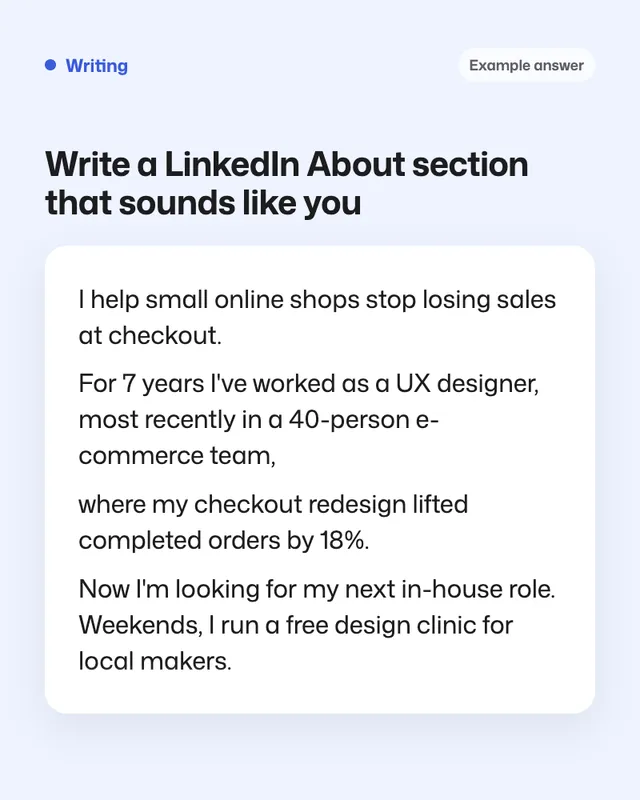
Example result of this prompt

Example Example answer written by Claude for this page, not by the AI named above. How we make examples

Write a LinkedIn About section that sounds like you

Get three versions of your LinkedIn About section, built from your real CV, with a first line people will read.

You need
Your own text
Written for
ChatGPT, Claude, Gemini
Result
Text

Prompt

You are a personal branding writer. Write my LinkedIn About section from my CV below. Write 3 versions, each under 1,500 characters, in the first person: - A: professional and clear - B: warm and conversational - C: short and punchy, under 600 characters Each version should: 1. Start with 2 lines that make people click "see more": what I do and who I help, in plain words. 2. Give 2 or 3 concrete achievements from my CV. 3. Say what I'm looking for: your goal. 4. Add one small human detail from the notes below, if I give one. 5. End with a short line inviting people to get in touch. Avoid buzzwords like "results-driven", "synergy", "ninja" and "passionate". Use only facts from my CV and notes. Personal notes (optional): personal notes My CV: paste your CV

Fill in, or keep the brackets and change them later

your goal
personal notes
paste your CV

How to use it

  1. Open ChatGPT, Claude or Gemini and paste the prompt with your CV.
  2. Pick the version closest to how you talk, and mix in lines you like from the others.
  3. Paste it into your profile and check how the first two lines look on a phone.
What to expectIt can sound a little too polished, so read it aloud and change any line you'd never say.

Tips

  • The first 2 lines are all most people see, so spend your editing time there.
  • Write numbers as numerals: '18%' catches the eye more than 'eighteen percent'.
  • Update it whenever your goal changes.

Editor: Ali Dezhami · Updated November 18, 2026

Similar prompts

All writing and work