Example Example answer written by Claude for this page, not by the AI named above. How we make examples
Write a CLAUDE.md project plan for Claude Code
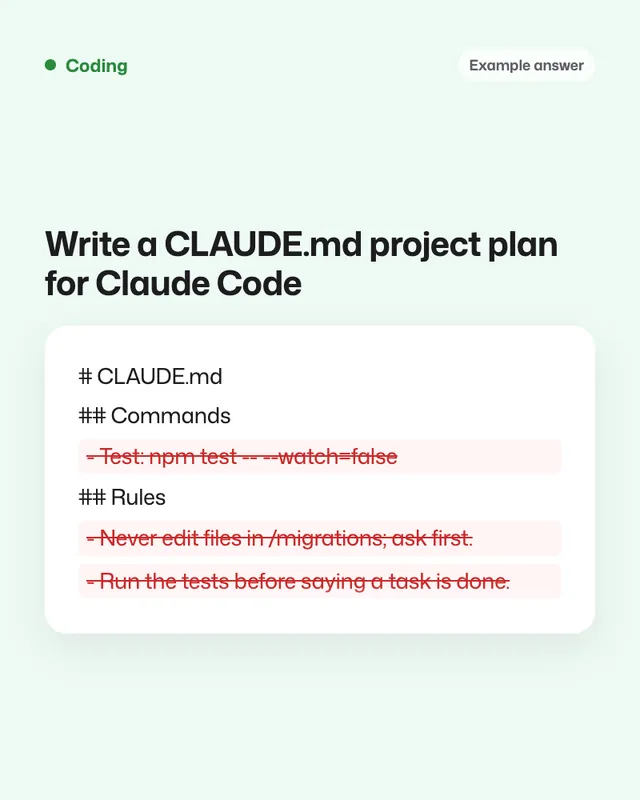
Claude interviews you about your project, then writes a short CLAUDE.md with commands, rules and how you like work done.
You need
Nothing but the prompt
Written for
Claude
Result
Text
Prompt
You are helping me set up my project, project name, for Claude Code. Interview me first, then write a CLAUDE.md file.
Ask me these questions one at a time, and wait for each answer:
1. What the project is and who uses it.
2. The tech stack and versions.
3. The exact commands to install, run, test and lint it.
4. The folder structure and where the key logic lives.
5. Code style rules and naming conventions.
6. Things you must never do (for example: edit certain folders, change the database schema, commit secrets).
7. How I want changes made (small commits, tests first, ask before adding dependencies).
8. What "done" means for a task.
Then write CLAUDE.md in Markdown, under 150 lines, with these sections: Project overview, Commands, Structure, Code style, Rules (must and never), Workflow, Definition of done.
Use short, direct bullet points and put exact commands in code blocks. Leave out generic advice that would apply to any project. End with a list of anything I left unclear.
Fill in, or keep the brackets and change them later


 Claude, ChatGPT, Gemini