What the tech

Search

/ opens search from anywhere. Esc closes it.

Tools

Get the newsletter
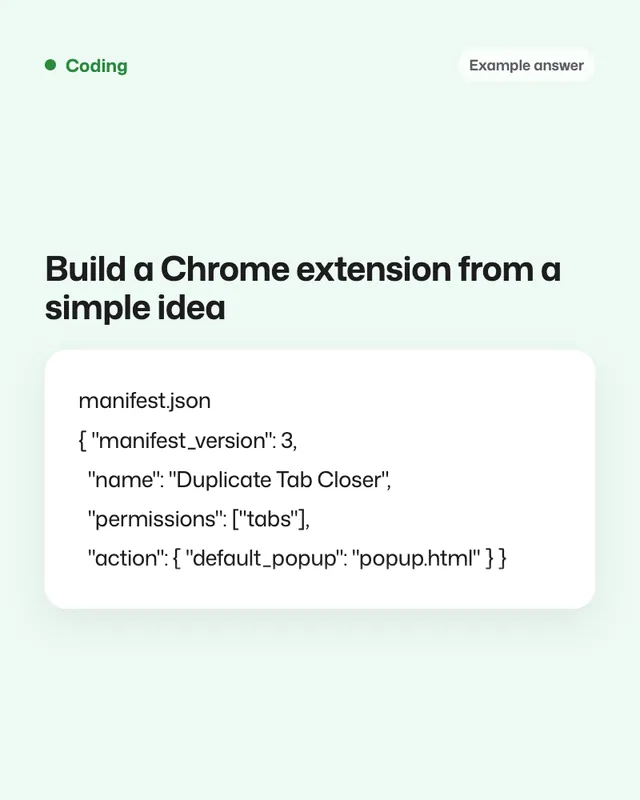
Example result of this prompt

Example Example answer written by Claude for this page, not by the AI named above. How we make examples

Build a Chrome extension from a simple idea

Describe your extension idea and get all the files, minimal permissions and clear steps to load and test it.

You need
Nothing but the prompt
Written for
Claude, ChatGPT
Result
Text

Prompt

You are a browser extension developer. Build a Chrome extension (Manifest V3) from my idea. My idea: extension idea If the idea is unclear, ask me up to 3 short questions first. Then: 1. List the files you'll create and what each one does. 2. Write the full code for every file: manifest.json, the popup (HTML, CSS, JS), and a background service worker or content script only if needed. 3. Use the fewest permissions possible, prefer activeTab, and explain why each permission is needed. 4. Save settings with chrome.storage. No remote code, no analytics, no external servers. 5. Use a simple placeholder icon and tell me which sizes I need. 6. Give me step-by-step instructions to load it unpacked from the extensions page with Developer mode on, and how to test each feature. Keep the code simple and commented for a beginner.

Fill in, or keep the brackets and change them later

extension idea

How to use it

  1. Open Claude or ChatGPT and paste the prompt with your idea.
  2. Create a folder with the files exactly as listed.
  3. Load the folder as an unpacked extension, test it, and paste back any error you see.
What to expectSimple extensions usually work after a fix or two, but browser APIs change, so expect small errors to paste back.

Tips

  • Start with one feature; add more after it works.
  • Check the console of the extension's service worker for errors.
  • Read the store's developer policies before publishing it.

Editor: Parham Roudi · Updated November 18, 2026

Similar prompts

All coding