What the tech

Search

/ opens search from anywhere. Esc closes it.

Tools

Get the newsletter
Example result of this prompt

Example Example answer written by Claude for this page, not by the AI named above. How we make examples

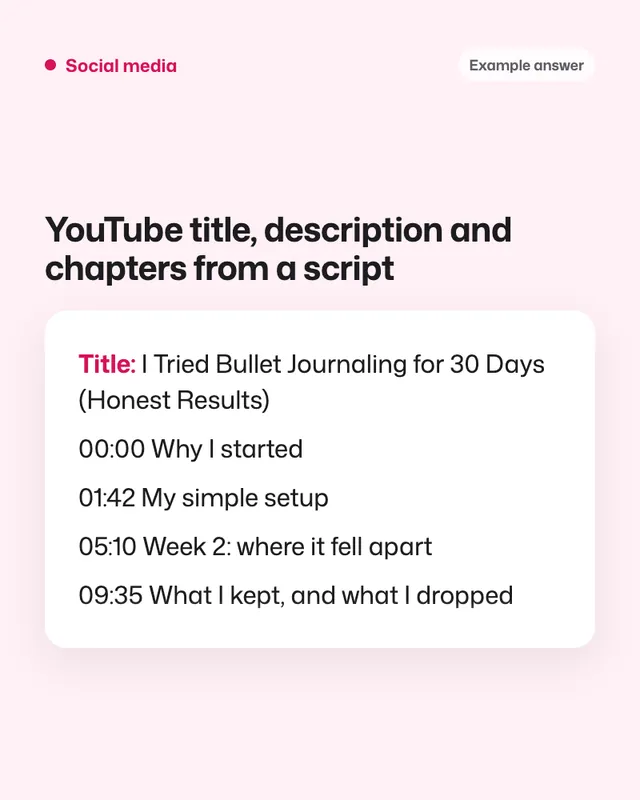
YouTube title, description and chapters from a script

Paste your transcript and get title options, a search-friendly description, chapters with real times and tags.

You need
Your own text
Written for
ChatGPT, Claude, Gemini
Result
Text

Prompt

You are a YouTube strategist who knows search. Using my video transcript below, write: 1. 5 title options under 60 characters: a mix of curiosity and clear search phrases, including main keyword naturally in at least 3. 2. A description: the first 2 lines hook the viewer and include the main keyword, then a 150 to 250 word summary of what the video covers, then a "Links" placeholder section. 3. Chapters: start at 00:00, at least 3 chapters, each at least 10 seconds long, placed only where the topic really changes. Use the timestamps from my transcript. If my transcript has no timestamps, say so instead of guessing. 4. 10 tags. 5. 3 thumbnail text ideas of at most 4 words. Don't promise anything the video doesn't deliver. Transcript: paste your transcript

Fill in, or keep the brackets and change them later

main keyword
paste your transcript

How to use it

  1. Download or copy your video transcript with timestamps.
  2. Open ChatGPT, Claude or Gemini and paste the prompt with the transcript.
  3. Check each chapter time by clicking through your video before you publish.
What to expectChapter times can be a few seconds off, so check each one in the video.

Tips

  • Pick a title that matches the thumbnail text, not repeats it.
  • Put your most important link in the first 3 lines of the description.
  • Ask for a pinned comment that asks viewers a question.

Editor: Peyman Khosravani · Updated November 18, 2026

Similar prompts

All social media