







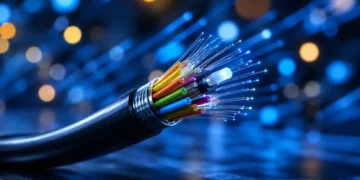



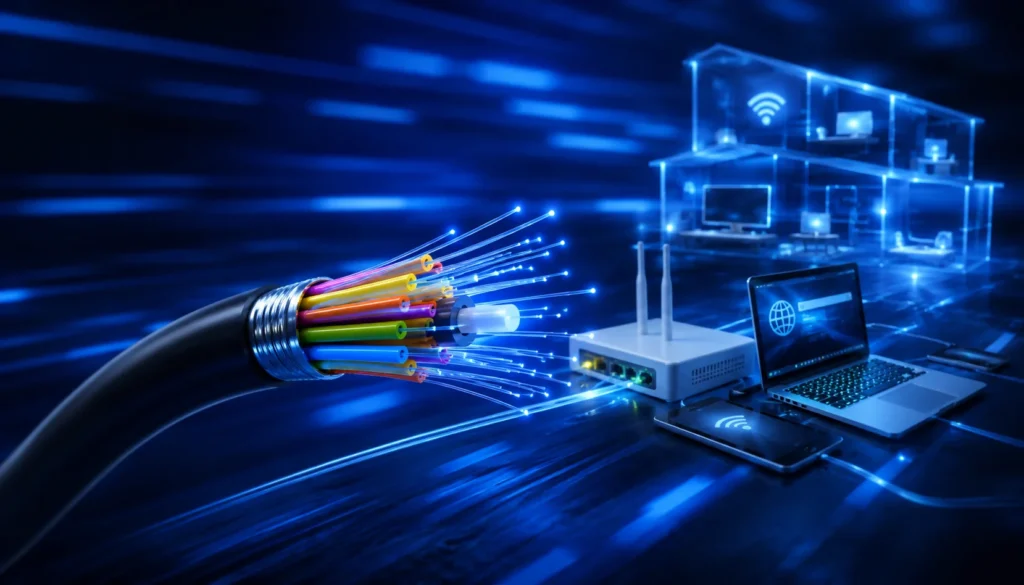
Fiber optic internet works by sending data as pulses of light through thin strands of glass or plastic fiber. Instead of pushing electrical signals through copper wiring like cable or DSL, fiber uses optical signals that can move large amounts of data quickly over long distances. Corning explains that information in optical fiber is encoded into light waves that travel through the fiber by internal reflection.
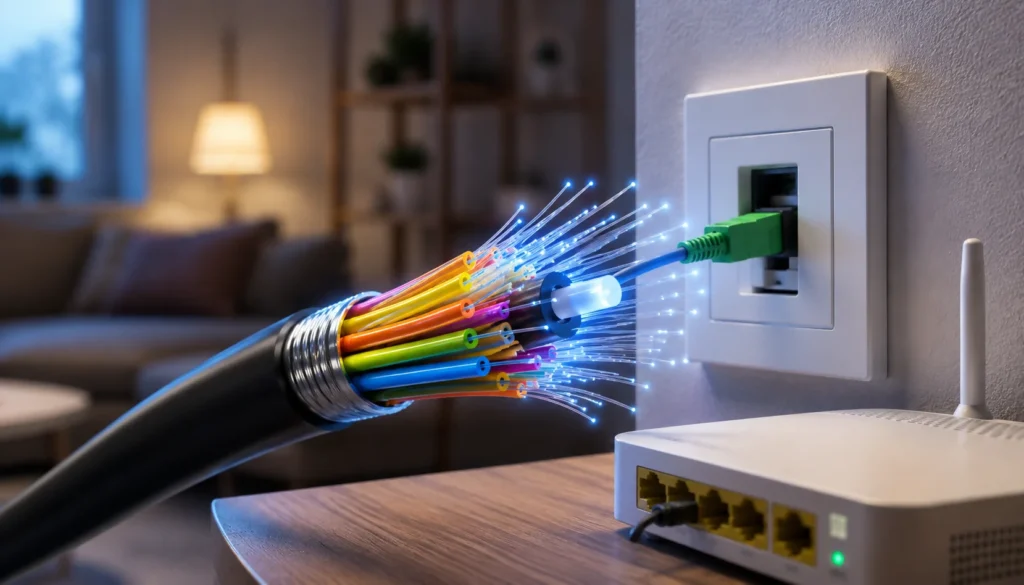
At home, the process does not stop at the fiber cable. The fiber line connects to equipment such as a fiber jack or ONT, which converts the light-based signal into a connection your router can use. From there, your devices connect through Wi-Fi or Ethernet.
The easiest way to understand fiber internet is this: fiber brings the internet connection to your home, your ONT converts it, and your router shares it with your devices.
How Fiber Optic Internet Works?
Fiber optic internet works in five basic steps:
- Your internet data starts as digital information.
- Network equipment converts that information into pulses of light.
- The light travels through fiber optic cable.
- An ONT or similar device converts the optical signal at your home.
- Your router sends the connection to your devices through Wi-Fi or Ethernet.
Think of fiber as the highway that brings internet to your home. Your router and Wi-Fi are the roads inside your house. A fast fiber plan helps, but a weak router, poor placement, old device, or bad Wi-Fi coverage can still make your connection feel slow.
What Is Fiber Optic Internet?
Fiber optic internet is a broadband connection that uses fiber optic cables to transmit data with light. A fiber optic cable contains extremely thin strands of glass or plastic designed to carry light signals.
The biggest difference between fiber and older home internet technologies is the signal type.
| Connection Type | Signal Type | Common Use |
| Fiber | Light pulses through fiber cable | Fiber home internet, business internet, internet backbones |
| Cable internet | Electrical signals through coaxial cable | Home broadband through cable TV networks |
| DSL | Electrical signals through phone lines | Older residential broadband |
| Satellite | Wireless signal to and from satellites | Rural or hard-to-wire locations |
| Fixed wireless | Radio signal from tower to receiver | Rural/suburban broadband alternative |
Fiber is often strong for download speed, upload speed, and latency, but those benefits still depend on the provider, plan, local network, and equipment inside your home. Fiber is a better connection type for many households, but it is not a magic fix for every slow internet problem.
How Fiber Internet Works Step by Step
Step 1: Your Data Starts as Digital Information
Every website visit, video call, cloud backup, game update, and streaming session is data moving between your device and the internet.
When you open a website, your device sends a request. During a movie stream, your device receives data. When you upload a file, your device sends data back out. Your internet connection is constantly moving small pieces of digital information in both directions.
Fiber changes how that information travels through the network.
Step 2: Network Equipment Converts Data Into Light Pulses
In a fiber network, equipment converts digital data into optical signals. Those signals travel as pulses or patterns of light through fiber optic cable. That is the core difference between fiber and copper-based connections: fiber uses light, while cable and DSL rely on electrical signals.
You do not see this conversion happening at home. It happens through provider equipment in the network and through equipment at or near your property.
Step 3: Light Travels Through Fiber Optic Cable
Once data becomes an optical signal, it travels through fiber optic cable. Fiber is built for high-capacity communication, which is why it is used not only for home internet but also for business networks, data centers, and major internet infrastructure.
A single home fiber connection is the last piece of a much larger network. Your provider’s local fiber line connects back to broader regional and national internet infrastructure.
Step 4: The Signal Reaches Your Home, Building, or Neighborhood
The fiber line may go directly to your home, to your apartment building, to a curbside cabinet, or to a neighborhood node. This matters because “fiber internet” can describe different network designs.
The strongest consumer version is usually fiber to the home or fiber to the premises, where fiber reaches the customer’s property. Some services use fiber for most of the route but rely on another technology for the final stretch. That final stretch can affect the real-world speed and reliability you experience.
Step 5: The ONT Converts the Fiber Signal
When the fiber signal reaches your home, it needs to be converted into a format your home network can use. That job is usually handled by an ONT, short for optical network terminal.
This is why fiber setups often do not use a traditional cable modem. With fiber, the ONT or fiber jack is the key conversion point.
Step 6: Your Router Sends the Connection to Your Devices
After the ONT or fiber jack hands the connection to your router, the router creates your home network. Your devices then connect by Wi-Fi or Ethernet.
This final step is where many speed complaints happen. Your fiber line might be fast, but your phone in the back bedroom still depends on router quality, Wi-Fi signal strength, walls, interference, and the device’s own hardware.
What Happens When Fiber Reaches Your Home?
A typical home fiber setup has several parts. The exact equipment varies by provider, but these are the common pieces you may see.
| Equipment | What It Does | Do You Need It? |
| Fiber line | Brings the optical signal to your home or building | Yes, if using fiber service |
| Fiber jack or optical outlet | Wall connection where fiber service enters or terminates | Usually, depending on provider setup |
| ONT | Converts the fiber signal into a usable home network connection | Usually yes |
| Router or gateway | Creates your home network and connects devices | Yes |
| Wi-Fi | Lets devices connect wirelessly | Usually yes, unless everything is wired |
| Ethernet cable | Provides a wired connection from router to device | Optional, but useful for speed testing, gaming, and work devices |
The important difference is this: the fiber line brings the service to your home, but your router and Wi-Fi determine how that connection behaves inside your home.
A fast fiber connection paired with poor Wi-Fi can still feel disappointing. A moderate fiber plan paired with a good router and smart placement can feel much better in daily use.
Read More:
Do You Need a Fiber Optic Router?
Most people do not need a special “fiber optic router” in the way the phrase sounds. In many home fiber setups, the fiber line connects first to an ONT or fiber jack. That device handles the fiber signal. The router then creates your home network and sends the connection to your phone, laptop, TV, game console, and other devices.
The router still matters. A weak or outdated router can make a fast fiber plan feel slower than expected, especially over Wi-Fi.
Before buying your own router, check four things:
| What to Check | Why It Matters |
| Provider compatibility | Some providers require their own gateway or have setup rules. |
| WAN/LAN port speed | A router with slow Ethernet ports can limit a fast fiber plan. |
| Wi-Fi standard | Older Wi-Fi can reduce real-world wireless speed. |
| Home size and layout | Large homes may need mesh Wi-Fi or wired access points. |
A good rule: do not buy a router just because it says “gigabit” or “fiber-ready.” Match the router to your plan speed, provider requirements, and home layout.
Fiber vs Wi-Fi: Is Fiber-Optic Better Than Wi-Fi?
Fiber and Wi-Fi are not the same type of thing. Fiber is the internet connection coming to your home. Wi-Fi is the wireless network inside your home.
So the better question is not “Is fiber better than Wi-Fi?” The better question is: Do you need a better internet connection, a better Wi-Fi setup, or both?
| Feature | Fiber Internet | Wi-Fi |
| What it is | Broadband connection to your home | Wireless network inside your home |
| Main job | Brings internet service from the provider | Connects phones, laptops, TVs, and smart devices |
| Main limitation | Availability, plan, provider network, installation | Router quality, distance, walls, interference |
| Can it be upgraded? | By changing provider or plan if available | By improving router, placement, mesh, or Ethernet |
| Common confusion | People expect fiber to fix everything | Weak Wi-Fi can hide fiber’s benefits |
Fiber can improve the connection entering your home, especially if you are moving from slow DSL or an older cable plan. But if your router is old, poorly placed, or too far from your devices, Wi-Fi can still feel slow.
Types of Fiber Connections: FTTH, FTTB, FTTC, and FTTN
Not every “fiber” connection brings fiber all the way into the home. The terms below describe where the fiber line stops.
| Fiber Type | What It Means | What the User Should Know |
| FTTH / FTTP | Fiber to the home or premises | Usually the cleanest full-fiber setup for residential users |
| FTTB | Fiber to the building | Common in apartments, condos, and offices |
| FTTC | Fiber to the curb or cabinet | Final stretch may use another technology |
| FTTN | Fiber to the neighborhood or node | Fiber is nearby, but not necessarily all the way to the home |
When comparing plans, look for clear wording. “Fiber-powered” or “fiber-rich” marketing does not always mean the same thing as fiber directly to your home. If the provider does not clearly say where the fiber stops, ask before signing up.
How Is Fiber Optic Internet Installed?
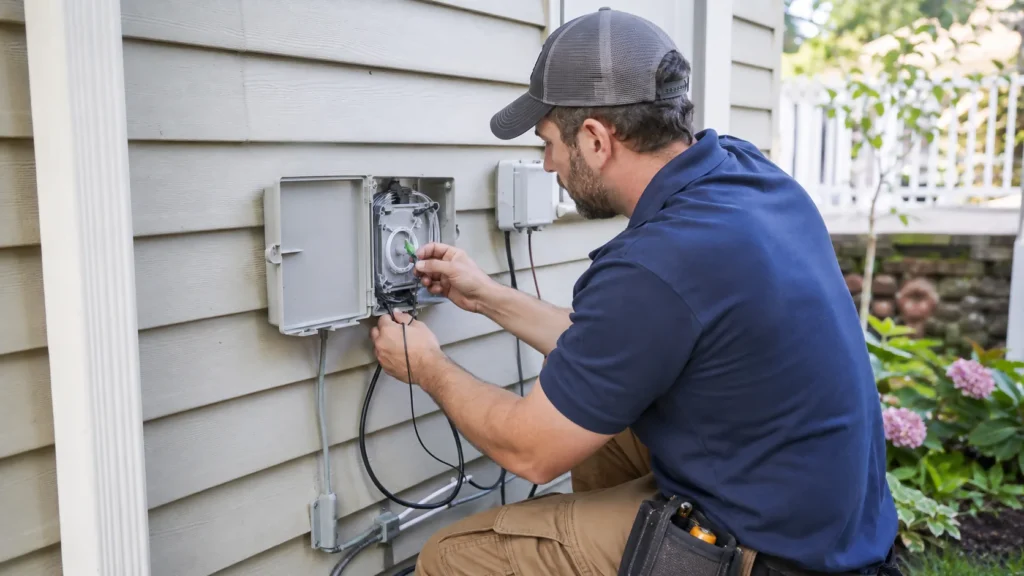
Actually Fiber installation depends on your provider, your home type, and whether fiber has already been run to your property or building. A house with no existing fiber may need a technician visit. An apartment building with fiber already installed may have a simpler setup.
Step 1: Check Fiber Availability at Your Address
Do not rely only on a city name or ZIP code. Fiber availability can change block by block.
For US readers, the FCC National Broadband Map lets users search by address and see reported internet service availability, including provider, technology, and speed information.
Also check the provider’s own address tool before ordering. Broadband maps are useful, but final availability should always be confirmed directly with the provider.
Step 2: Schedule Installation or Self-Install If Available
Some customers need a technician to bring fiber from outside the home, install or activate the ONT, and connect the router. Others may qualify for self-install if the fiber equipment is already present.
Ask the provider these questions before the appointment:
| Question | Why It Matters |
| Will a technician need to enter the home? | Helps you plan the appointment. |
| Will drilling or exterior wiring be required? | Important for renters and homeowners. |
| Where will the ONT or fiber jack be installed? | Affects router placement and Wi-Fi coverage. |
| Is equipment included or rented? | Changes the true monthly cost. |
| Can I use my own router? | Matters if you already own good networking gear. |
Step 3: Fiber Line Enters the Home or Building
A technician may use an existing conduit or wiring path, or they may need to run a new line. In some homes, installation can involve exterior wiring, a wall entry point, or a new optical outlet.
Renters should confirm permission before installation work. Homeowners should ask where the cable will enter, where the equipment will be mounted, and whether drilling is required.
Step 4: ONT and Router Are Connected
The ONT or fiber jack is connected to the provider network. The router or gateway is then connected to the ONT, often with Ethernet.
Some providers combine functions into a gateway. Others use separate equipment. Either way, the goal is the same: convert the fiber signal, then distribute the connection through your home network.
Step 5: Test Ethernet and Wi-Fi Speeds Separately
After installation, test the connection in more than one way.
| Test | Why It Helps |
| Wired Ethernet speed test | Shows what the router can deliver with less Wi-Fi interference |
| Wi-Fi speed test near router | Shows best-case wireless performance |
| Wi-Fi speed test in far rooms | Reveals dead zones or weak coverage |
| Upload speed test | Shows whether fiber’s upload advantage is reaching your devices |
Testing only on Wi-Fi can be misleading. If the wired connection is strong but Wi-Fi is weak, the fiber service may be fine while the home network needs work.
What Is Fiber Optic Cable Used For Besides Home Internet?
Fiber optic cable is used for more than residential internet. It is part of the infrastructure behind business networks, data centers, telecommunications systems, and long-distance internet backbones.
Common fiber optic cable uses include:
- Home broadband
- Business internet
- Data center connections
- Campus and enterprise networks
- Internet backbone infrastructure
- Phone and TV network transport
- Long-distance communications links
For a home user, this matters because fiber is not a niche upgrade. It is one of the major physical technologies used to move modern internet traffic.
Benefits of Fiber Internet That Actually Matter at Home
Fiber’s benefits are easiest to understand through real household use.
| Benefit | Who Notices It Most |
| Faster upload speeds | Remote workers, creators, cloud backup users |
| Lower latency | Gamers, video callers, real-time app users |
| Better multi-device performance | Families, shared homes, smart-home users |
| More capacity | Heavy streamers, large downloads, future device growth |
| Less signal loss over distance | Network operators and users in well-built fiber areas |
Faster Upload Speeds for Video Calls, Cloud Backup, and Creators
Many internet users focus only on download speed. Upload speed matters when you send data out: video calls, file uploads, live streaming, online backups, security camera uploads, and creator workflows.
Fiber plans often offer stronger upload performance than many older cable or DSL plans, but this depends on the exact provider and plan. Always compare both download and upload speeds before signing up.
Lower Latency for Gaming and Real-Time Apps
Latency is the delay between your action and the network response. Lower latency can help with online games, video calls, remote desktops, and other real-time apps.
Fiber can be strong for latency, but latency is not controlled by fiber alone. Router quality, Wi-Fi strength, server location, VPN use, and provider routing can all affect real-world delay.
More Stable Performance for Busy Households
A household with streaming TVs, phones, laptops, tablets, smart speakers, security cameras, and game consoles can put pressure on an older connection. Fiber can help when the old connection is the bottleneck.
Still, the home network matters. A fast fiber plan feeding an outdated router can disappoint people who expected every room to instantly become faster.
Downsides of Fiber Optic Internet
Fiber is one of the strongest home internet options when it is available, but it is not perfect. The biggest downside is availability. A provider may serve your city but not your exact street, building, or address.
Installation can also be more involved than switching between cable plans. Some homes need a technician visit, exterior wiring, a wall entry point, or an installed ONT. Renters should check building rules before scheduling installation work.
Cost is another area to check carefully. A low promotional price may increase later, and some providers charge separately for equipment, installation, or other fees. In the US, FCC Broadband Consumer Labels are designed to provide clear information about the cost and performance of high-speed internet services.
| Downside | What It Means for You |
| Limited availability | You need address-level confirmation, not just ZIP-code coverage. |
| Installation work | A technician visit or wall entry point may be required. |
| Price changes | Promotional pricing may not be the long-term monthly price. |
| Equipment limits | An old router can waste a fast fiber plan. |
| Wi-Fi dead zones | Fiber does not automatically fix weak wireless coverage. |
| Overbuying speed | Some households do not need the most expensive multi-gig plan. |
The practical takeaway: fiber can improve the connection coming into your home, but your final experience still depends on the plan, equipment, installation quality, and Wi-Fi setup.
Why Fiber Internet Can Still Feel Slow
A fiber plan can be fast at the wall and still feel slow on your phone or laptop. That usually means the bottleneck is somewhere after the fiber connection enters your home.
Start by separating the internet connection from the home network. If a wired Ethernet test near the router is fast but Wi-Fi is slow in another room, the fiber service may be working correctly. The issue is more likely router placement, Wi-Fi range, interference, or device limitations.
| Problem | Common Sign | What to Check |
| Old router | Every device feels slower than expected | Router age, Wi-Fi standard, Ethernet port speed |
| Weak Wi-Fi coverage | Far rooms are slow, nearby rooms are fine | Router placement, walls, mesh Wi-Fi options |
| Device limitation | One laptop or phone is much slower than others | Device age and Wi-Fi capability |
| Ethernet bottleneck | Wired speed is capped below your plan | Cable type, switch speed, router port speed |
| VPN slowdown | Speed drops mainly when VPN is on | VPN server location and load |
| App or server issue | Only one site, game, or app is slow | Test multiple services |
| Wrong test method | Speed looks poor only over Wi-Fi | Compare wired and wireless tests |
A simple troubleshooting order works best:
- Test wired speed first.
- Test Wi-Fi near the router second.
- Test Wi-Fi in the rooms where you actually use your devices.
- Compare upload and download speed.
- Check whether one device is slower than the others.
This helps you avoid blaming the fiber connection when the real problem is the router, Wi-Fi layout, Ethernet hardware, or device.
Should You Switch to Fiber Internet?
Fiber is usually worth considering if your current connection struggles with upload-heavy tasks, remote work, gaming, cloud backups, or many devices online at once.
| Fiber Is a Strong Fit If… | Fiber May Not Be Worth It Yet If… |
| You work from home and rely on video calls | Your current plan is already fast and stable |
| You upload large files or back up to the cloud | Fiber costs much more in your area |
| You game online and care about latency | Your Wi-Fi setup is the real bottleneck |
| Your household has many connected devices | You only browse, email, and stream occasionally |
| You want better upload performance | Fiber is not available at your exact address |
| Your current cable or DSL plan feels inconsistent | Installation terms are inconvenient |
Before switching, compare your current pain point with what fiber actually fixes. Fiber can improve the connection coming into the home. It cannot fix every weak router, old laptop, bad VPN, or poorly placed Wi-Fi access point.
How to Compare Fiber Internet Plans Before You Sign Up
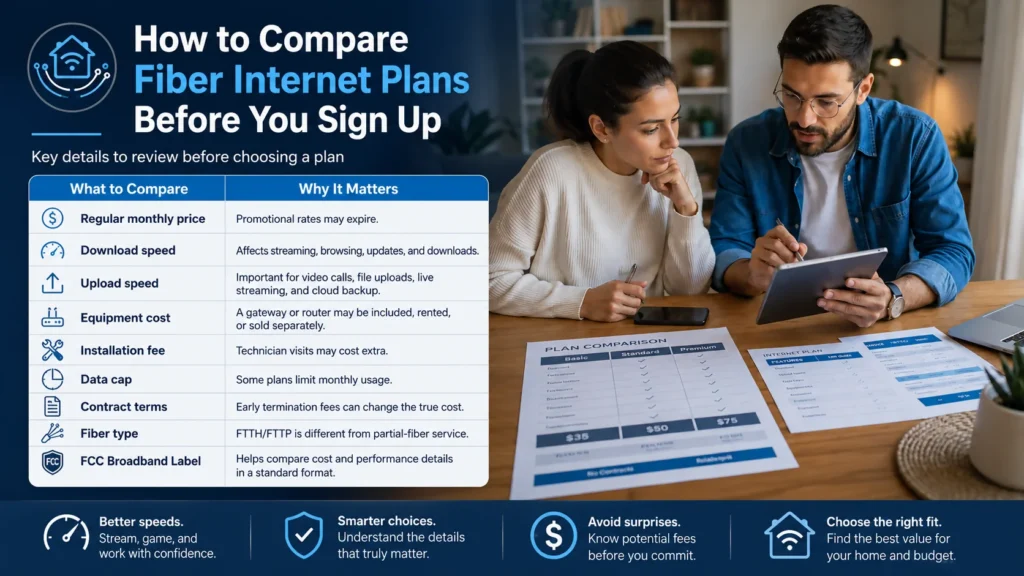
Do not choose a fiber plan by download speed alone. The best plan is the one that matches your actual usage, total monthly cost, and home equipment.
Check these details before signing up:
| What to Compare | Why It Matters |
| Regular monthly price | Promotional rates may expire. |
| Download speed | Affects streaming, browsing, updates, and downloads. |
| Upload speed | Important for video calls, file uploads, live streaming, and cloud backup. |
| Equipment cost | A gateway or router may be included, rented, or sold separately. |
| Installation fee | Technician visits may cost extra. |
| Data cap | Some plans limit monthly usage. |
| Contract terms | Early termination fees can change the true cost. |
| Fiber type | FTTH/FTTP is different from partial-fiber service. |
| FCC Broadband Label | Helps compare cost and performance details in a standard format. |
For most households, upload speed, router quality, and Wi-Fi coverage matter more than buying the highest advertised speed tier. A household that mostly streams video and browses the web may not need a multi-gig plan. A remote worker, creator, gamer, or large household may benefit more from higher upload speeds and lower latency.
The FCC also provides a glossary for Broadband Consumer Labels, including definitions for plan pricing and fees. This is useful because the advertised monthly price may not include every charge a customer pays.
How We Checked This Guide
This guide is based on general fiber optic networking principles, consumer broadband guidance, FCC broadband comparison resources, the FCC National Broadband Map, and publicly available technical education materials.
Provider equipment, installation steps, prices, promotional terms, router rules, and availability can vary by address. Before signing up for a plan, check your exact address, read the provider’s broadband label, confirm equipment costs, and ask whether the service is full fiber to the home or a partial-fiber connection.
FAQs
How does fiber optic internet work in simple terms?
Fiber optic internet sends data as pulses of light through thin fiber cables. When the signal reaches your home, an ONT or fiber jack converts it into a connection your router can use. Your devices then connect through Wi-Fi or Ethernet.
Is fiber optic internet better than Wi-Fi?
Fiber and Wi-Fi are different parts of your home internet setup. Fiber brings the internet connection to your home. Wi-Fi spreads that connection wirelessly inside your home. Fiber can improve the connection coming in, but weak Wi-Fi can still make devices feel slow.
Do I need a special router for fiber internet?
Usually, you need a router that can handle your fiber plan speed, but not necessarily a special “fiber optic router.” Many setups use an ONT or fiber jack for the fiber signal, then a standard router or provider gateway for the home network.
What is an ONT?
An ONT, or optical network terminal, is the device that converts the fiber optic signal into a connection your router can use. It is one of the key differences between many fiber setups and older cable-modem setups.
How is fiber optic internet installed?
Fiber installation usually starts with an address availability check. If service is available, the provider may install or activate a fiber line, connect an ONT or fiber jack, set up the router, and test the connection. Exact steps vary by provider and home type.
What is the downside to fiber optic internet?
The main downsides are limited availability, possible installation work, changing promotional prices, provider-specific equipment rules, and the fact that fiber does not automatically fix weak Wi-Fi inside the home.
Is fiber internet faster than cable?
Fiber can be faster than cable, especially for upload speed, but it depends on the exact plans being compared. Always compare download speed, upload speed, latency, fees, and data limits instead of relying only on the advertised headline speed.
Can fiber internet make my Wi-Fi faster?
Fiber can improve the internet connection feeding your router, but Wi-Fi speed still depends on your router, device, distance, walls, interference, and home layout. If Wi-Fi coverage is the problem, a better router or mesh system may matter more than a faster plan.
What is FTTH?
FTTH means fiber to the home. It usually means the fiber line reaches the customer’s home instead of stopping at a curb, cabinet, building, or neighborhood node.
Is fiber optic internet worth it?
Fiber is usually worth considering for remote work, gaming, video calls, cloud backups, creators, large households, and users who need strong upload speed. It may not be worth paying extra if your current connection is reliable, your usage is light, or your main issue is poor Wi-Fi coverage.
Final Takeaway
Fiber optic internet works by carrying data as light through fiber cable, then converting that optical signal at your home so your router can send it to your devices.
The technology is powerful, but the home experience depends on more than the fiber line. Your ONT, router, Wi-Fi coverage, devices, plan terms, and provider availability all matter.
Before switching, check address-level availability, compare the broadband label, confirm the real monthly cost after promotions, and make sure your router can handle the speed you plan to buy.
Resources
How optical fiber carries data as light